Already have a Payment Reference Number (PRN) for your SSS salary loan? You can settle it straight from GCash — no queueing at a payment center, no bank app. It's a GBills transaction, and it posts to SSS in real time.
Need a PRN first?
GCash needs a PRN before it can process anything — it won't generate one for you. If you don't have one yet, see our guide on generating your SSS salary loan PRN first, then come back here to pay it.
1. Open Bills in GCash
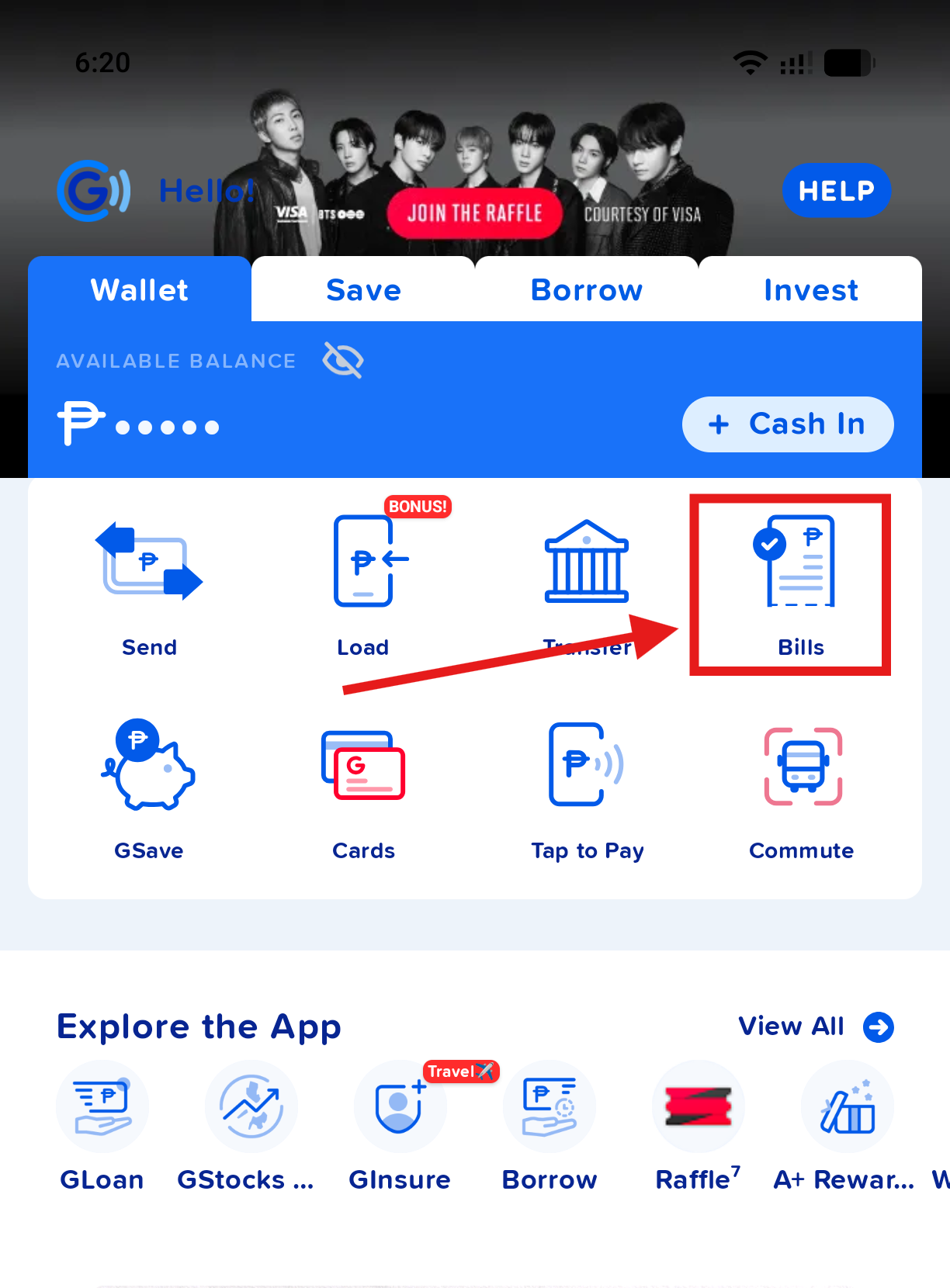
From the GCash home screen, stay on the Wallet tab and tap Bills.
2. Search for SSS
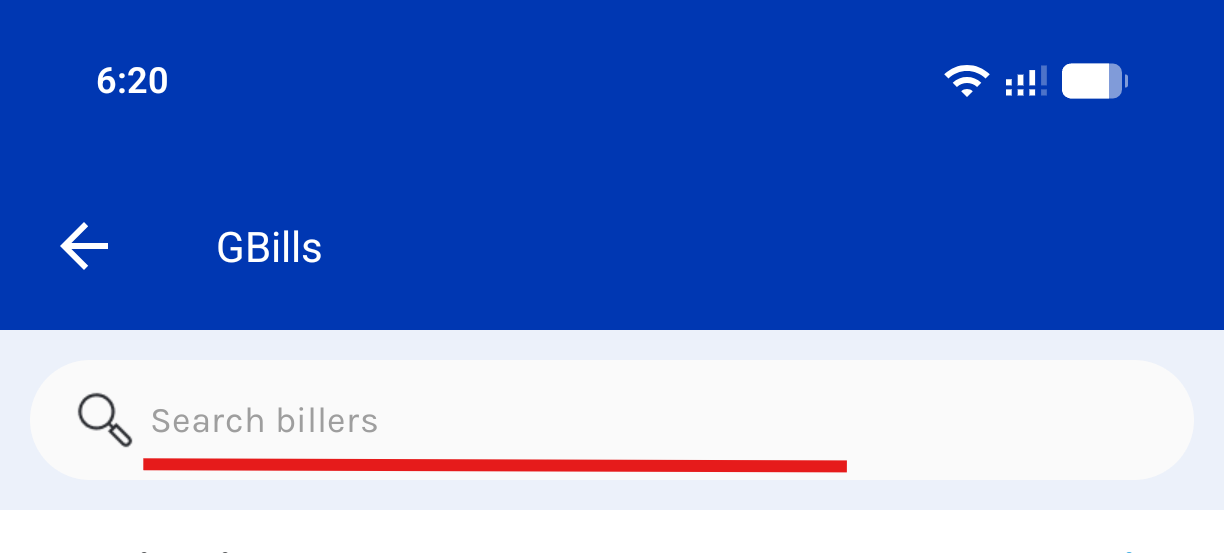
On the GBills screen, tap the search bar and type SSS.
3. Select SSS - Short Term Loans
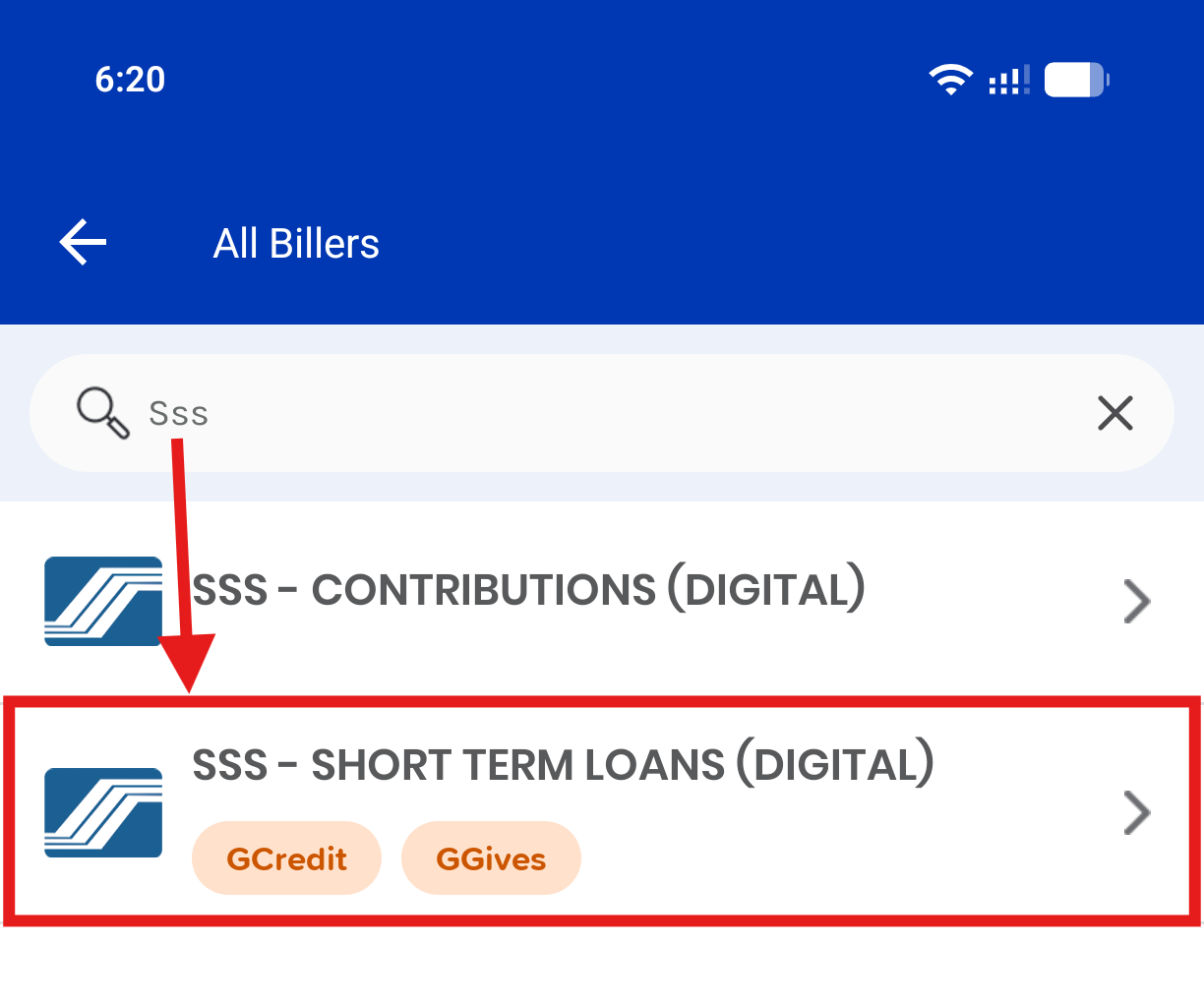
Two SSS results show up. Pick the right one — a salary loan is a Short Term Loan, not a contribution.
Don't mix these up
- SSS - Contributions (Digital) — your monthly member contributions
- SSS - Short Term Loans (Digital) — salary, calamity, and other short-term loan payments. That's the one you want here.
4. Enter the amount and PRN
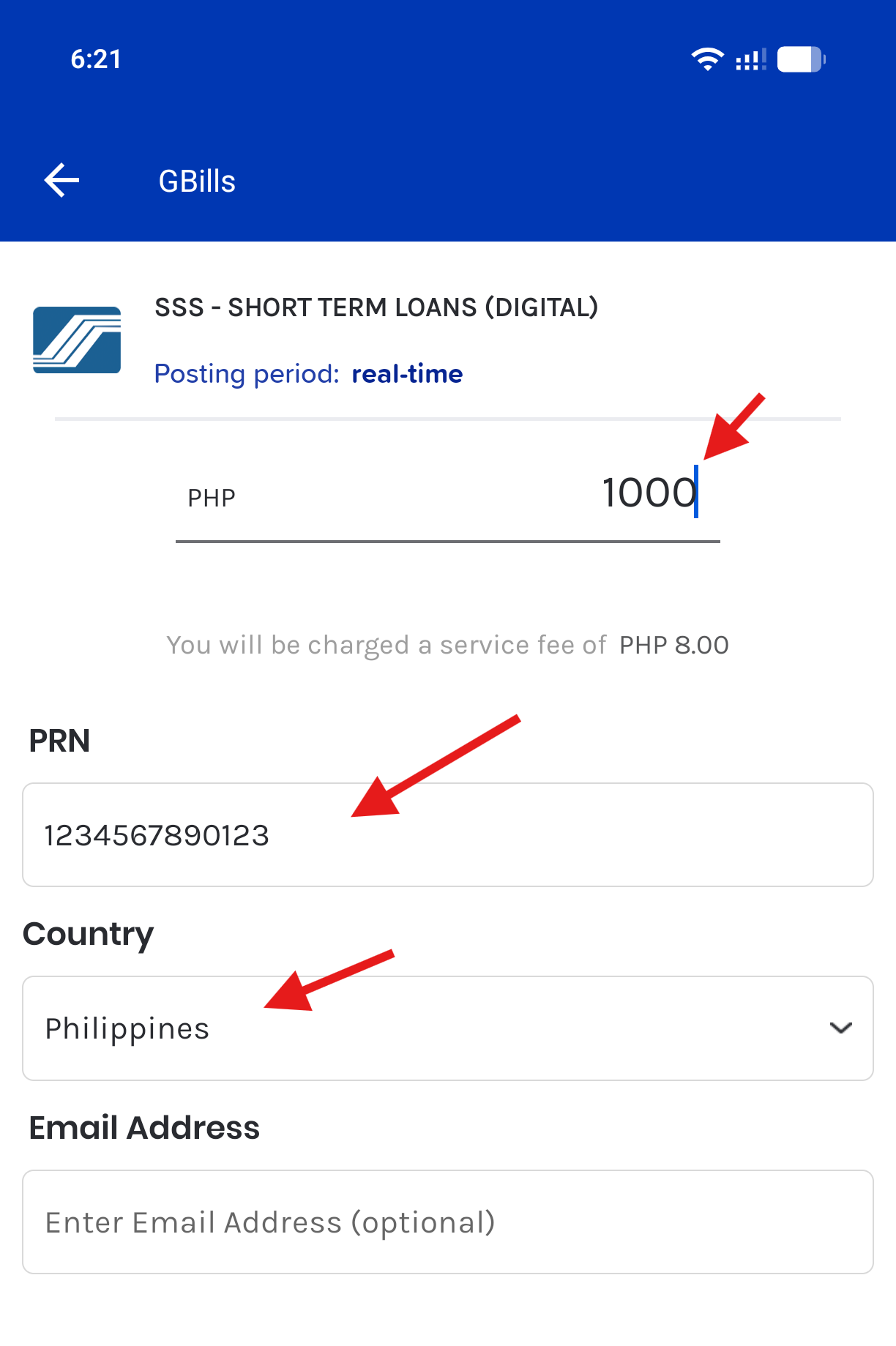
Fill in the form:
- PHP — the amount you're paying (this should match, or not exceed, the amount you set when generating the PRN)
- PRN — the Payment Reference Number from your My.SSS Loans page. Don't have one yet? See how to generate PRN.
- Country — Philippines
- Email Address — optional, for a copy of the receipt
GCash also shows a small service fee (₱8.00 at the time of writing) on top of your payment amount — that's charged separately from your GCash balance. Review the details, then proceed to confirm and pay.
Once submitted, GCash posts the payment to SSS in real time — save the in-app receipt as proof of payment. If you're setting up next month's payment too, you'll need a fresh PRN, since each one is tied to a specific applicable month; head back to the PRN generation guide when that's due.